
Keydiye · by BitBirr
Your money, clearly.
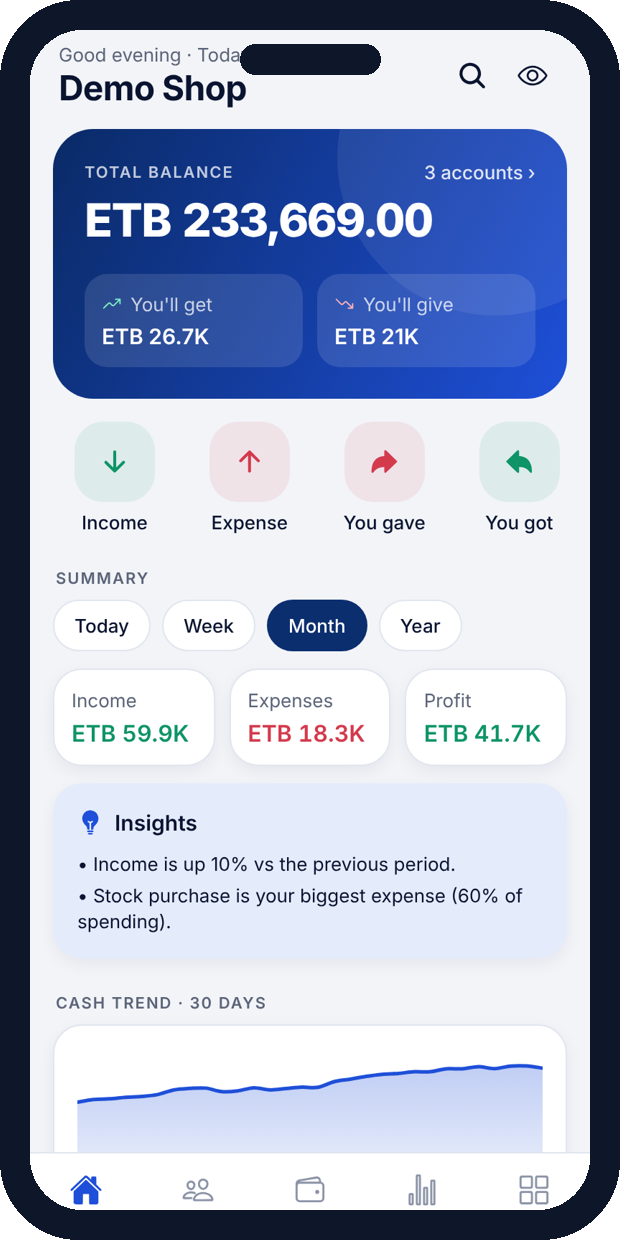
Keydiye replaces the paper credit book. Record sales, expenses and customer credit in seconds, even with no internet, and see your whole business on one screen.
Android first · Coming soon to Google Play
Features
Everything a small business needs to track money
No accounting knowledge needed. If you can use WhatsApp, you can use Keydiye.
Customers & suppliers
Running balances for everyone you sell to or buy from. Import from your phone contacts, set credit limits and see who pays on time.
Reminders that get paid
Send a polite payment reminder by WhatsApp, SMS or Telegram with the balance and your payment details filled in.
360° reports
Profit and loss, trends, receivables aging, stock and best sellers for any day, week, month or year. Export to PDF or Excel.
Works offline
Everything is stored on your phone first. Cloud backup and sync are optional and switch on only when you sign in.
Locked and encrypted
PIN or fingerprint lock, auto-lock, hide amounts, and AES-256 encrypted backup files you control.
Made for Ethiopia
Ethiopian calendar option, ETB by default, GMT+3 time and accounts for cash, telebirr, CBE Birr, M-Pesa and banks.
Plans
Start free. Upgrade when you grow.
New cloud accounts get a 14-day Pro trial. Pro pricing will be shown in the app at launch.
Free
Keydiye Free
For getting started.
- Unlimited entries, customers and suppliers
- Reminders, reports and PDF statements
- PIN lock and encrypted backup to your phone
Pro
Keydiye Pro
For growing businesses.
- Everything in Free
- Cloud backup and sync across devices
- Multiple devices with session control
- Priority support from BitBirr
FAQ
Questions
Do I need internet?
No. Keydiye works fully offline. Internet is only used if you choose cloud backup, sync or sending reminders.
Where is my data stored?
On your phone, in the app’s private storage. If you sign in to a cloud account, a copy is kept on our secure servers so you can restore it or use another device.
Can I move to a new phone?
Yes. Create a backup file and open it on the new phone, or sign in to your cloud account.
How do I delete my data?
Delete the app to remove local data. To delete your cloud account, open Keydiye → More → Cloud account → Delete cloud account, or see this page.
Is there an iPhone version?
iPhone is planned after the Android launch.
Want Keydiye for your business or members?
We can customise Keydiye for cooperatives, distributors and associations.